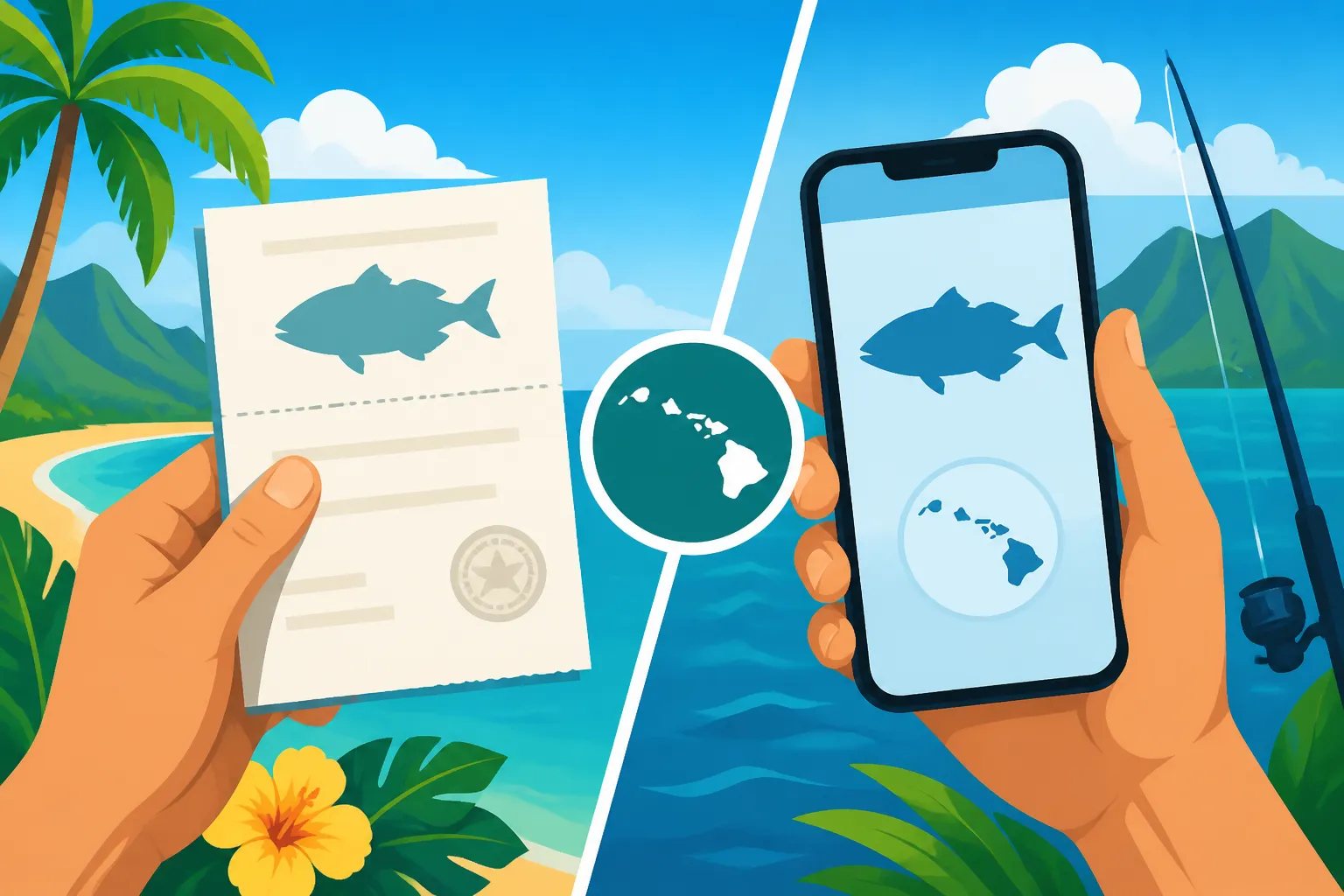
Printing or Carrying a Digital Fishing License in Hawaii
One of the most common headaches for anglers heading out in Hawaii, whether you're a long-time kama'aina or a visitor dreaming of that perfect catch, is figuring out the license situation. You've got your gear, you've checked the tides, but then the nagging question pops up: do I need to print my fishing license, or is a digital copy on my phone good enough? It's a valid concern, and navigating the nuances of state regulations can feel like trying to untangle a bird's nest of fishing line. This guide is here to untangle all that for you, making sure you understand exactly what the Hawaii Division of Aquatic Resources (DAR) expects when it comes to proof of your fishing license, whether you prefer pixels or paper.
The Modern Angler's Dilemma: Digital Versus Paper Licenses
We live in an increasingly digital world, don't we? From boarding passes to concert tickets, our phones have become the central hub for so much of our daily lives. It's only natural that we'd want our fishing licenses to follow suit. But the reality out on the water, far from Wi-Fi signals and charging ports, can throw a wrench into even the best-laid digital plans.
The Convenience Factor: Why Digital Appeals
Let's be honest, carrying less is always better when you're out fishing. Who wants another piece of paper to worry about losing to the wind, saltwater spray, or an accidental dunk in the cooler? Having your fishing license readily available on your smartphone means one less item to remember, one less wallet insert to fumble with. It's instantly accessible, assuming your phone is, and often linked to your email, making it easy to retrieve if needed. For those who frequently purchase their licenses online, like through the official Hawaii Department of Land and Natural Resources (DLNR) site, receiving a digital copy almost immediately is incredibly convenient. You can literally buy it while standing at the shoreline, provided you have service, and be ready to cast a line without a trip to a vendor or waiting for mail. This immediate gratification and reduction of physical clutter are huge draws for many anglers.
The Traditionalist's Concern: What if My Phone Dies?
This is the big one, isn't it? The nightmare scenario where you're approached by a DLNR enforcement officer, reaching for your phone to display your license, only to find it's a dead brick. Or maybe the screen got cracked, or the saltwater shorted it out. Suddenly, that beacon of convenience becomes a source of major stress. Many veteran anglers, and those who've learned the hard way, prefer the undeniable reliability of a physical printout. A piece of paper doesn't run out of battery, it doesn't need a signal, and while it can get wet, a laminated copy can withstand a lot. There's a certain peace of mind that comes with knowing your proof of license is independent of fragile technology, especially when you're miles from civilization, perhaps hiking to a remote stream in Kokee Public Fishing Area Guide or navigating the open ocean.
Beyond Aesthetics: Legal Requirements and Enforcement
Ultimately, it doesn't just come down to personal preference or convenience; it's about what the law says. You can have the most beautiful digital license on the planet, but if the enforcement officer can't accept it, you're still in a pickle. The Hawaii Division of Aquatic Resources (DAR) has specific guidelines, and thankfully, they've embraced the digital age, to a degree. The crucial part is not just having the license, but being able to present it in an acceptable format upon demand. This means clarity, legibility, and proof that it's your license. This also ties into important information like Hawaii Fishing Regulations Explained and understanding what constitutes Fishing Without a Required License in Hawaii: Penalties. It's always best to be prepared, whether that means a charged phone or a crisp printout.
Understanding Hawaii's Official Stance on Digital Licenses
Navigating government regulations can sometimes feel like a treasure hunt, but when it comes to fishing licenses in Hawaii, the DLNR has made it relatively straightforward. The key is knowing where to look and what the current policy actually states.
Current DLNR Policy on Digital Documentation
Good news for the tech-savvy angler! The Hawaii Department of Land and Natural Resources (DLNR), through its Division of Aquatic Resources (DAR), does recognize and accept digital fishing licenses. This means you can display your valid fishing license on your smartphone or other mobile device when requested by a law enforcement officer. The requirement is that the license information must be clearly legible, and the officer must be able to verify its authenticity. This policy reflects a modern approach, acknowledging that many people no longer carry physical wallets or rely heavily on paper documents. It simplifies the process for those who buy their licenses online, often receiving an email with an attached PDF or a link to view their license immediately after purchase. This acceptance of digital documentation extends to both freshwater and marine fishing activities where a license is required.
Specifics for Freshwater Versus Marine Licenses
While the general rule for digital acceptance applies to both, it's worth noting the distinction between the types of licenses you might hold. For freshwater fishing, such as chasing rainbow trout in the Kokee Public Fishing Area on Kauai or targeting bass and tilapia in Wahiawa Reservoir, a specific Hawaii Freshwater Fishing License and Rules is required. The digital display rule applies here, too. Similarly, if you're a nonresident coming for a quick trip, you might purchase a Hawaii 1-Day and 7-Day Nonresident Marine License Cost or perhaps an annual one. In all these cases, presenting the digital version on your phone is acceptable. The critical element isn't the type of water you're fishing, but rather the clarity and accessibility of the license information itself. The DLNR wants to ensure compliance, and a clear digital image serves that purpose just as well as a physical card.
Clarifying Common Misconceptions
There are often lingering questions and old rumors that can create confusion. One common misconception is that you need a special "digital license" – no, you just need a standard license purchased through official channels, which then generates a scannable or viewable document. Another mistaken belief is that you must have internet access to show your digital license. While you need it to download it initially, once saved as a PDF or screenshot, you don't typically need live internet to display it. However, it’s always smart to have it downloaded or screenshotted directly onto your device, not just relying on cloud storage or an email attachment that requires an active connection. For a deeper dive into all license requirements, check out the comprehensive Hawaii Fishing License Guide for 2026. The point is, don't let old wives' tales or outdated information keep you from leveraging the convenience of a digital license.
Practicalities of Carrying a Digital License on the Water
Okay, so the DLNR says digital is good to go. Fantastic! But out on the open ocean or a remote shoreline, practical considerations quickly come into play. Your phone isn't just for calls and texts anymore; it's also your proof of compliance.
Best Practices for Phone-Based Licenses
If you're opting for a phone-based license, the absolute first step is to download the official PDF or screenshot the clear image of your license and save it directly to your phone's photo gallery or a dedicated "fishing documents" folder. Do not rely solely on accessing it through an email or a website, as connectivity can be notoriously spotty in many prime fishing locations. Imagine you're fishing off a remote point on the Big Island, and an officer approaches. You quickly pull out your phone, access your photos, and there it is, crystal clear and ready to display. That's the ideal scenario. Always make sure the text and barcode (if present) are clearly visible and can be easily read or scanned. Think of it as your paper license, but stored electronically – it needs to be as clean and readable as if it just came out of a printer.
Alternative Digital Storage Methods
While your phone is the most common device, it's not the only option. Some anglers might prefer to store their license on a ruggedized tablet if they use one for navigation or fish finding. Another clever trick is to save the PDF to a cloud storage service like Google Drive or Dropbox as a backup, but importantly, also make it available "offline" on your device. This way, if your phone completely crashes but you have a buddy with a working device and an internet connection, you might be able to retrieve it. For those really serious about preparedness, some even keep a copy on a small, waterproof USB drive, though this requires a compatible device to view it. The goal is redundancy – having multiple ways to access that vital information. You never know when one method might fail you, especially in the unpredictable environment of fishing.
When Connectivity is an Issue
Hawaii's beauty often comes with a trade-off: cell service can be non-existent in many incredible fishing spots. Picture yourself casting lines on a remote stretch of Kauai's coast or out on a small boat far offshore. If you haven't downloaded your license, relying on an email or a specific website link won't work. This is precisely why saving the file directly to your device is paramount. It bypasses the need for an internet connection entirely. Think of it like a digital snapshot of your license that's always with you, no signal bars required. The key takeaway here is: prepare for the worst-case scenario, assume you'll have no service, and ensure your license is locally stored and readily accessible offline. This simple step can save you a lot of hassle and potential fines.
Ensuring Your Digital License is Always Accessible
Having your license digitally is great, but it's only truly convenient if it's there when you need it. Nothing's worse than having a license but not being able to show it. So, let's talk about bulletproofing your digital setup.
Battery Life and Waterproofing Solutions
Your phone is only as good as its battery. Many long fishing days, especially those with GPS usage or constant photo taking, can drain a battery quickly. A dead phone means no digital license, plain and simple. Carrying a portable power bank is almost a non-negotiable accessory for any angler relying on a digital license. A fully charged power bank, like those readily available on platforms like Amazon, can give your phone several full charges, extending your accessibility for days. Beyond power, water is the natural enemy of electronics. A good quality waterproof phone case is absolutely essential, even if you're just shore fishing. Saltwater is especially corrosive and can destroy a phone in seconds. Look for cases that are rated for submersion, not just splash-proof, to give you real peace of mind. Some cases even offer buoyant properties, so if you do drop your phone in the water, it might float.
Backup Strategies for Peace of Mind
Think of your digital license like your car keys – you wouldn't just have one set, would you? The same logic applies here. Beyond saving the PDF or screenshot to your primary phone, consider these backups:
- Email to a trusted friend or fishing buddy: If you're fishing with someone, they might be able to pull it up on their device if yours fails.
- Save to another device: If you carry a tablet, save a copy there too.
- Cloud storage (offline access): As mentioned, save it to a cloud service but ensure it's marked for "offline access" so you can view it without an internet connection.
- Screenshot and print a small backup: Even if you prefer digital, having a tiny, laminated printout tucked into your tackle box, just in case, is a smart move. It's like a hybrid approach to Digital vs paper fishing license in Hawaii. This redundancy ensures that even if your primary digital method fails, you still have options to present proof of your license.
Displaying Your License During a Check
When a DLNR officer or other authorized personnel requests to see your license, present your device promptly and clearly. Have the image or PDF open and ready. Avoid fumbling through multiple apps or photos. The officer needs to be able to quickly verify the essential information: your name, license number, license type (e.g., Hawaii Freshwater License Age Requirements), and expiration date. Ensure your screen brightness is turned up to maximum for easy viewing, especially in bright sunlight. If there's a barcode, make sure it's visible. You want to make the process as smooth and efficient as possible for the enforcement officer, demonstrating your compliance and respect for the regulations.
What to Do if You Prefer a Physical Copy (or Need One)
Even with all the digital convenience, many anglers still prefer the tangible security of a physical fishing license. Maybe it's habit, maybe it's avoiding tech glitches, or maybe it's just simpler for their specific fishing style. Whatever the reason, getting a physical copy is straightforward.
How to Print Your Online-Purchased License
If you bought your license online through the official DLNR portal, you would typically receive an email confirmation that includes a link to download or print your license in PDF format. This PDF is your official document. Open it up on your computer, ensure your printer is working, and hit print! It’s that simple. Most licenses are designed to be printed on standard 8.5×11 inch paper. Once printed, you can trim it down to a wallet-sized card if you like, but always ensure all critical information (your name, license number, dates) remains clearly visible. Remember, this printout is just as valid as a physical card issued by a vendor. For more details on the buying process, refer to Where and How to Buy a Hawaii Fishing License or How to Buy a Hawaii Fishing License Online.
Laminating for Durability
A piece of paper, especially in Hawaii's humid, salty environment, isn't going to last long. It'll get wet, torn, or fade in the sun. The best solution for a printed license is lamination. You can buy a small, inexpensive laminator and laminating pouches online (again, Amazon has plenty of options) or at office supply stores. Laminating creates a waterproof, tear-resistant barrier that will protect your license for the entire season. It means you can keep it in your tackle box, shirt pocket, or even clipped to your hat without worrying about it falling apart. A laminated license will survive splashes, sweat, and general wear and tear much better than a plain paper one. This small investment can save you the headache of needing to replace a soggy, illegible license later.
Finding Local Print Services
What if you don't have a printer at home, or your laminator decides to give up the ghost? No worries! There are plenty of local resources available. Most office supply stores (like a local OfficeMax or FedEx Office) offer printing and laminating services for a small fee. You can simply email them your license PDF, and they'll print and laminate it for you. Some local print shops or even hotel business centers might offer similar services, especially if you're a visitor in a major tourist area. It's a quick and easy way to get a durable, physical copy without needing to buy your own equipment. Just be sure to have the PDF ready on a USB drive or easily accessible via email.
Potential Pitfalls and How to Avoid Them
Even with the best intentions and preparations, there are always a few common traps that anglers fall into when it comes to licenses. Being aware of these can save you a lot of grief.
Expired Licenses and Renewal Reminders
One of the most frequent reasons anglers get cited is fishing with an expired license. It happens to the best of us; life gets busy, and that renewal date just sneaks up. Most Hawaii fishing licenses are valid for a specific period, typically a year from the purchase date, but this can vary. It's crucial to know your expiration date. When you purchase a license online, make a note of it in your calendar or set a reminder on your phone. Many official licensing systems (including Hawaii's) will send you an email reminder as your expiration date approaches. Don't ignore these! Proactively checking your license status before each trip, especially if it's been a while, is a simple habit that prevents unnecessary trouble. Staying on top of your license ensures you’re always legally compliant, whether it's for Hawaii Boat Registration Requirements or just shore fishing.
Lost or Damaged Phones and License Recovery
We've talked about what happens if your phone dies, but what if it's lost, stolen, or damaged beyond repair? Suddenly, your digital license is gone. This is where those backup strategies become invaluable. If you've saved a copy to a cloud service (and can access it from another device), or if you had a laminated printout, you're still good. If not, don't panic. You can usually log back into the official DLNR licensing website with your credentials and re-download your license PDF. In a pinch, you can even call the Division of Aquatic Resources customer service line for assistance in retrieving your license information. They understand that accidents happen. For specific guidance on getting a replacement, you might find useful information in Replacing a lost Hawaii fishing license. Having your license number written down separately in a safe place can also expedite this recovery process.
Dealing with Out-of-State Licenses
A common question, especially from tourists, is whether their out-of-state fishing license is valid in Hawaii. The answer is a resounding no. Hawaii has its own distinct fishing regulations and licensing system. Your freshwater trout license from Montana or your saltwater license from Florida is not recognized here. If you plan to fish in Hawaii, you must obtain a valid Hawaii fishing license. This applies to both freshwater and marine environments. The only potential exception might be if you're on a licensed charter boat, where the charter operator often holds a blanket commercial license that covers their passengers, but it’s always best to confirm directly with your chosen charter. For instance, while a specific charter might be covered under a commercial license for deep-sea activities, if you decide to do some shoreline fishing on your own, you'll still need your own license. Always consult the official Hawaii DLNR fishing regulations PDF for the most up-to-date and authoritative information.
Summary Table: Digital vs. Printed License in Hawaii
To help you quickly weigh the pros and cons and make an informed decision for your next fishing trip, here's a quick comparison:
| Feature | Digital License (on phone/device) | Printed License (paper copy) |
|---|---|---|
| Convenience | High (always with you, no extra clutter) | Medium (one more item to carry, can be bulky if not trimmed) |
| Accessibility | High (instant access if phone is working and charged) | High (always visible, no tech dependency) |
| Durability | Low (susceptible to water damage, drops, battery drain) | Medium (prone to tearing, water damage if not laminated) |
| Backup Options | Screenshots, cloud storage, other devices | Laminating, keeping a spare printout |
| Cost | Free (after license purchase) | Minimal (cost of printing, laminating supplies/service) |
| Proof of ID | Often required alongside physical ID (e.g., driver's license) | Often required alongside physical ID (e.g., driver's license) |
| Connectivity | Requires initial download, not for display if saved offline | Not required |
| DLNR Acceptance | Yes, legally accepted if clearly legible | Yes, legally accepted if clearly legible |
Ultimately, the choice between carrying a digital or printed fishing license in Hawaii comes down to personal preference and how well you manage the associated risks. Many anglers opt for a hybrid approach: a digital copy on their phone for convenience, backed up by a small, laminated printout in their tackle box, just in case. Whichever method you choose, make sure your license is current, clearly visible, and ready to be presented if requested.
Disclaimer
The information provided in this guide is for general informational purposes only and is not intended as legal advice. Fishing regulations in Hawaii, including those related to licensing, can change. It is always the angler's responsibility to consult the most current regulations published by the Hawaii Department of Land and Natural Resources (DLNR) and the Division of Aquatic Resources (DAR) before fishing.